


Nike: Engineered for Athletes
4.7108.04K Reviews
App Specs
- Version
- 26.41.1
- Updated On
- License
- Free
- Downloads
- 100,000,000+
- Developer
- Nike, Inc.
- Categories
- Shopping
- Platform
- Android, iOS
Screenshots
 Analysis by AppCompare
I judge a shopping app by whether it helps me make a better decision, not just whether it puts a polished storefront on my phone. Nike’s app is most appealing when I already have a reason to browse the brand: I can explore footwear and clothing, keep an eye on new releases, and read editorial content in one place. It is a free shopping app from Nike, Inc., and the overall experience feels aimed at both regular customers and people who follow Nike closely.
Where the app stands today
The app has been available since August 2, 2016, and its current version is 26.29.0. That long-running presence is useful context: this is an established way to shop Nike, rather than a temporary campaign or a single-purpose release tracker. It has a 4.7 average from around 1.1 million ratings, and has been installed over 100 million times. Those figures suggest broad adoption, though they cannot tell you whether the app suits your shopping habits.
In practical terms, I would treat it as a Nike-focused storefront with editorial content, rather than a general sports retailer or a full training companion. It is free to install and rated for Everyone. The distinction matters: if I want to compare several brands side by side, a multi-brand retailer is usually a better starting point. If I know I want Nike products and prefer browsing the brand’s own range, this app makes more sense.
What the version history can—and cannot—tell you
A current version number shows that the app continues to be maintained, but it does not, by itself, reveal what changed in the latest release. I would not assume that a particular feature is new just because the app has moved through many versions. The sensible way to judge an update is to check the change notes shown on your device and then see whether the parts you use behave differently.
For existing users, that is a practical rather than dramatic point. If browsing, saved preferences, or account access already work well for you, there is no reason to expect a different shopping routine solely because the version number is newer. After an update, I’d check the basic tasks I rely on—finding an item, reviewing its details, and completing the steps I normally use to shop—before planning around any unfamiliar change.
How I would use it for a real purchase
Suppose I need a new pair of everyday trainers, but I am not ready to buy the first shoe that looks good. I’d use the app to narrow my browsing to Nike, compare the available styles and product details, and read customer feedback where it is shown. I’d keep the intended use in mind—commuting, casual wear, or exercise—rather than letting an attractive image make the decision for me. Product photos help with appearance, but fit and comfort are personal, so I would still be cautious if I had not tried a similar pair before.
One useful habit is to browse with a short list of needs instead of scrolling without a plan. For example, I might note the activity, the kind of fit I prefer, and the clothing I want to pair with the shoes. That makes it easier to compare relevant items and less tempting to treat every recommended product as essential. Personalised suggestions can save time when they match my interests, but I would regard them as a discovery aid, not an objective ranking of what I should buy.
Worth Reading Before You Choose

Flipboard Shows What News Apps Must Do Beyond the Feed

Switching to Android Auto Means Rethinking Your Driving Routine

Google Calendar Makes a Crowded Week Easier to Manage

Ludo King Makes the Most of the Minutes Between Plans

Baby Panda World Brings Quick Play to Modern Phones, but Its Game Library Feels Busy

ESPN’s Live Game View Makes Following Close Games Easier
Where it fits among shopping alternatives
Compared with a general marketplace, Nike’s own app gives the brand a clearer home: its own products and brand-led stories are the focus. That can be an advantage when I want to understand the range without unrelated labels competing for attention. The trade-off is equally clear: shoppers who want to compare Nike with other manufacturers, browse a wider spread of prices, or consolidate orders from several brands may prefer a multi-brand shop.
A physical store has a different advantage: I can handle an item and assess how it feels before committing. The app is more convenient for browsing at home or checking the range while I am away, but a screen cannot settle every question about fit, fabric, or comfort. For a familiar style I already own, online browsing may be enough. For a new shoe shape or a purchase where fit is crucial, I would use the app to research and then consider trying a comparable item in person if that option is available.
Getting Started with the App
First things first, downloading the Nike: Shoes, Apparel & Stories app is a breeze. It's available on both Android and iOS, so no worries about compatibility. Once you have it installed, the setup process is smooth and intuitive. You’re greeted with a sleek interface that’s as stylish as you’d expect from a brand like Nike. The app prompts you to create a profile where you can customize preferences, ensuring you get content tailored just for you.
The Personal Shopping Experience
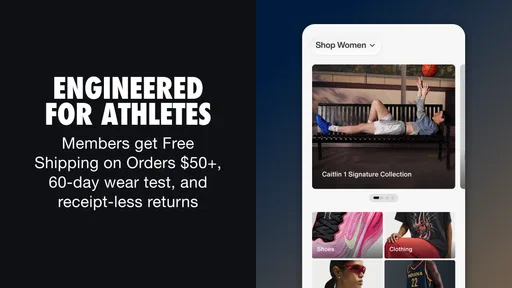
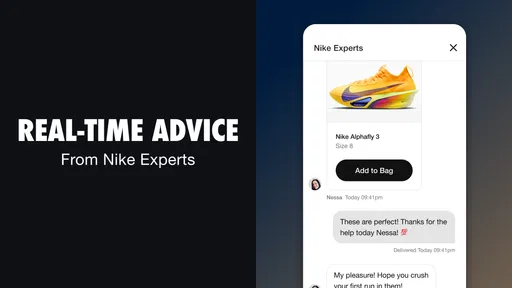
One of the standout features of the app is its personalized shopping experience. As soon as you start browsing, you’ll notice how the app curates recommendations based on your past purchases and interests. It's like having a personal shopper who knows your style inside out. Plus, the app frequently offers exclusive deals and early access to new releases, which is a massive win for those who love to stay ahead of the fashion curve.
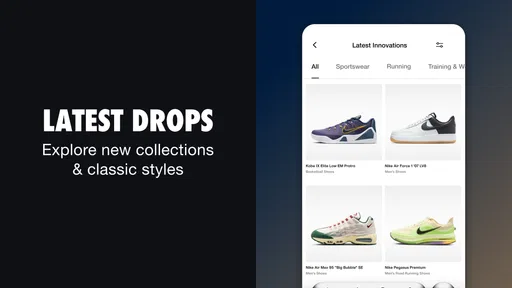
The app's catalog is vast, covering everything from the latest sneaker drops to high-performance athletic gear and casual wear. It’s almost impossible not to find something you love. And with detailed product descriptions, reviews, and high-quality images, you get a comprehensive view of what you’re buying.
Stories and Inspiration
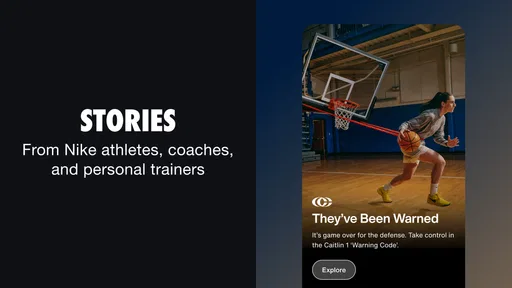
Beyond shopping, the app also serves as a source of inspiration. The "Stories" feature is where Nike really shines. Here, you’ll find a collection of articles, videos, and interviews that cover everything from athlete journeys to behind-the-scenes looks at Nike’s design process. It’s like a mini magazine filled with motivational content that keeps you connected to the world of sports and fashion.
Whether it’s a profile on a groundbreaking athlete or tips on how to improve your running technique, these stories are both engaging and informative. They’re perfect for those moments when you need a little push to get up and move.
Fitness at Your Fingertips
The app also comes with some built-in fitness features, which are perfect if you’re looking to get or stay in shape. With workout plans and exercise routines tailored to various fitness levels, you can easily integrate these into your daily routine. Plus, the app syncs with other fitness apps and devices, making it easier to track your progress and stay motivated.
What’s really cool is the community aspect. The app allows you to connect with other users, share your achievements, and even participate in challenges. It’s a fantastic way to stay motivated and push yourself further, knowing that you’re part of a larger community of fitness enthusiasts.
Making recommendations work for you
Personalisation is most useful when I treat it as a shortcut, not a substitute for judgment. If the suggestions reflect what I actually wear, they can help me spot related pieces without restarting a search. If my interests have shifted, though, a stream shaped by past browsing can keep showing me yesterday’s preferences. I’d use search and deliberate browsing when I want something specific, then use recommendations to discover options I might otherwise overlook.
For a considered purchase, I also separate inspiration from comparison. I might save a few candidates mentally or return to their product pages, then check the details that matter to me rather than choosing based on the first appealing image. This is especially helpful when comparing shoes for different purposes: a style that looks right for everyday wear may not be the one I want for a particular workout. The app helps me explore Nike’s selection, but my use case still needs to lead the decision.
Stories as a different kind of browsing
The editorial side is valuable even when I have no shopping list. I can open a story for a short break and leave without buying anything, which makes the app feel less like a catalogue than a brand destination. The trade-off is that inspiration is not neutral product advice: a compelling athlete profile or design feature can make a product feel more desirable, but it does not answer practical questions about sizing or whether a piece suits my routine.
I find it helpful to keep those two modes separate. I read for ideas when I want a spark, and return to product information when I am evaluating a purchase. That small distinction keeps an enjoyable story from becoming my only reason to spend. It also makes the app more useful to people who follow sport and design, even if they are only occasional Nike shoppers.
Fitness features need the right expectations
The original appeal of workout guidance and community features depends on what you want from them. If you already use a dedicated training service or a device-centered routine, I would not switch just because shopping and fitness appear together here. A focused fitness app may be a better place to build a plan, track sessions, or review progress. I see Nike’s fitness-related material as an extra layer for someone who likes the brand and wants encouragement alongside browsing, rather than a reason to choose this as their only training tool.
That distinction also helps avoid frustration: a shopping app can complement an established routine without replacing it. I would keep whichever training tool already gives me the tracking and structure I rely on, and use Nike’s content when it adds useful motivation. If all I need is to buy clothing or shoes, I can simply ignore the fitness side and focus on shopping.
Small checks that prevent avoidable disappointment
Before placing an order, I would slow down at the item page and verify that I am looking at the right style and the right details for my needs. When customer reviews are available, I would read for recurring observations rather than treating one person’s experience as a guarantee. Reviews can provide context, but individual fit preferences differ, and a product page cannot reproduce trying something on.
I would also keep a clear distinction between seeing a release in the app and being certain that it is the right purchase. Newness and limited-time excitement can make browsing feel urgent. If I am unsure, taking a pause and returning to the item later is a useful filter. For a planned purchase, that pause costs little; for a release I already know I want, the app’s brand-specific browsing may be more convenient than searching across unrelated retailers.
Who will get the most from it
I think this app suits people who already buy Nike, enjoy following its product releases, or want brand-focused stories alongside shopping. It can also be handy for someone buying a gift when they know the recipient prefers Nike: browsing one brand makes the search more focused, though the recipient’s exact size and taste still matter. Regular customers may find it convenient to return to a familiar shopping environment rather than begin every search from scratch.
I would skip it as my main shopping destination if I am undecided about brands, prioritise comparing many manufacturers, or want one place to manage a mixed-brand shopping list. I would also avoid relying on it as my sole answer to fit questions or as a replacement for a specialist training app. Those are not failures; they are simply cases where a multi-brand retailer, a physical shop, or a purpose-built fitness tool is better suited to the job.
What I would watch as the app evolves
Because the app is actively versioned, I would pay attention to changes that affect the practical basics: whether browsing remains easy, whether product information is clear, and whether the experience continues to feel useful for returning customers as well as first-time shoppers. A version number alone is not evidence of a particular improvement, so I would judge changes by what I can actually see and use after updating.
For an existing user, the best reason to keep it installed is simple: it brings Nike shopping and brand content together, and it may be convenient when those are things you already seek out. If your interests move toward other labels or you prefer a leaner shopping routine, you can use a broader retailer instead. I would let the app earn a place on my phone through convenience, not keep it out of habit.
User Experience and Navigation
Navigating through the app is a breeze. The user interface is clean, modern, and intuitive. The menus are straightforward, and everything is just a tap away. Whether you’re shopping, reading a story, or checking out the latest workout, you’ll find that the app responds quickly and efficiently.
If you ever run into any issues, the app's customer service feature is top-notch. They offer quick responses and solutions to any problems you might face, ensuring that your experience remains seamless and enjoyable.
Overall, the Nike: Shoes, Apparel & Stories app is a fantastic blend of shopping, inspiration, and fitness. It’s perfect for anyone looking to stay connected with the Nike brand, get exclusive content, and find motivation for their fitness journey. If you haven't already, give it a try. It might just become your new favorite app.
Pros
- User-friendly interface for easy navigation.
- Extensive range of products available.
- Personalized recommendations enhance experience.
- Exclusive content and stories from athletes.
- Seamless integration with fitness apps.
Cons
- Requires a stable internet connection.
- Limited customization options for products.
- Some features need account registration.
- Occasional app performance lags.
- Notifications can be overwhelming.
FAQs for Nike: Engineered for Athletes
What is the main purpose of the Nike: Shoes, Apparel & Stories app?
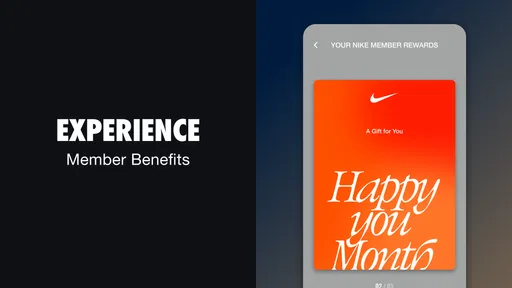
The Nike app is designed to provide users with a seamless shopping experience for Nike products, including shoes, apparel, and accessories. It also offers exclusive content such as stories, athlete insights, and personalized recommendations based on user preferences. The app enhances the shopping journey with easy navigation and special member-only benefits.
Does the Nike app offer exclusive deals or promotions?
Yes, the Nike app frequently provides exclusive deals and promotions that are only available to app users. These offers can include early access to new releases, special discounts, and exclusive products. Users often find value in downloading the app to take advantage of these unique opportunities.
Can I use the Nike app to track my fitness activities?
While the Nike app focuses on shopping and brand storytelling, Nike does offer separate apps such as Nike Training Club and Nike Run Club for tracking fitness activities. These apps provide tailored workout plans, running tracking, and community challenges. However, the main Nike app does integrate with these apps to provide a comprehensive brand experience.
Is the Nike app user-friendly for browsing and purchasing products?
The Nike app is designed to be highly user-friendly, with intuitive navigation and easy-to-use search functions. Users can effortlessly browse through different categories, view detailed product descriptions, and make secure purchases. The app also features a streamlined checkout process and multiple payment options to enhance the shopping experience.
Does the Nike app offer personalized recommendations?
Yes, the Nike app offers personalized recommendations based on user preferences and browsing history. By analyzing user behavior, the app suggests products that align with individual tastes and fitness goals. This feature helps users discover new products and styles that they may not have come across otherwise.


